For years, Microsoft Excel has been the primary tool for managing business data.
From tracking sales and inventory to preparing financial reports and planning production, nearly every company has relied on spreadsheets as a daily work tool.
In the early stages of a business, Excel is indeed very helpful.
However, as companies begin to grow, the number of transactions increases, teams expand, and business processes become more complex, the limitations of spreadsheets start to become apparent.
Many companies eventually realize that Excel is no longer capable of supporting their growing operational needs.
This is where ERP systems begin to be considered as a solution.
Why Is Excel So Popular?
Excel is the choice of many companies because:
- It’s easy to use
- Relatively low cost
- Flexible
- It doesn’t require special implementation
- Suitable for small businesses
Even today, many companies still handle most of their operations using spreadsheets.
However, popularity doesn’t always mean it’s the best long-term solution.
The Drawbacks of Excel for Growing Businesses
1. Very High Risk of Human Error
One of the biggest problems with using spreadsheets is data entry errors.
For example:
- Typing a number incorrectly
- Incorrect copy-pasting
- Formulas being deleted
- Data overwritten by another user
Even small errors can lead to inaccurate reports and impact decision-making.
2. Difficult for Multiple Teams to Use Simultaneously
When a company has only a few employees, spreadsheets are still easy to manage.
However, as the team grows, various problems arise:
- Locked files
- Different data versions
- Data change conflicts
- Difficulty tracking change history
ERP is designed to support multiple users in real time within the same system.
3. Data Is Not Integrated
Often, each department maintains its own files.
For example:
- Finance has financial spreadsheets
- Sales has customer data
- The Warehouse has inventory data
As a result:
- Data is scattered
- Difficult to synchronize
- Reports take longer to generate
ERP integrates all data into a single centralized database.
READ ALSO: How Much Does Odoo ERP Implementation Cost in Indonesia? The Complete Guide 2026
4. Difficult to Monitor in Real Time
In a dynamic business environment, management needs fast and accurate information.
With spreadsheets, reports usually have to be created manually.
As a result:
- Delayed information
- Decision-making is slow
- Increased business risk
ERP provides a real-time dashboard that can be accessed at any time.
5. Lack of Process Automation Support
Many business activities are still performed manually when using spreadsheets.
Example:
- Invoice creation
- Purchase approvals
- Inventory reconciliation
- Monthly report generation
ERP enables these processes to run automatically.
6. Difficulty with Auditing and Tracking
When data errors occur, companies often have trouble identifying the source of the problem.
Frequently asked questions:
- Who changed the data?
- When was the data changed?
- What changes were made?
ERP systems have audit trails that make it easier to track user activity.
7. Not Scalable for Business Growth
The larger the company, the more data there is to manage.
A spreadsheet that was initially simple can turn into dozens or even hundreds of files.
This situation leads to:
- Management becomes increasingly complex
- Increased risk of data loss
- Decreased productivity
ERP is designed to support long-term business growth.
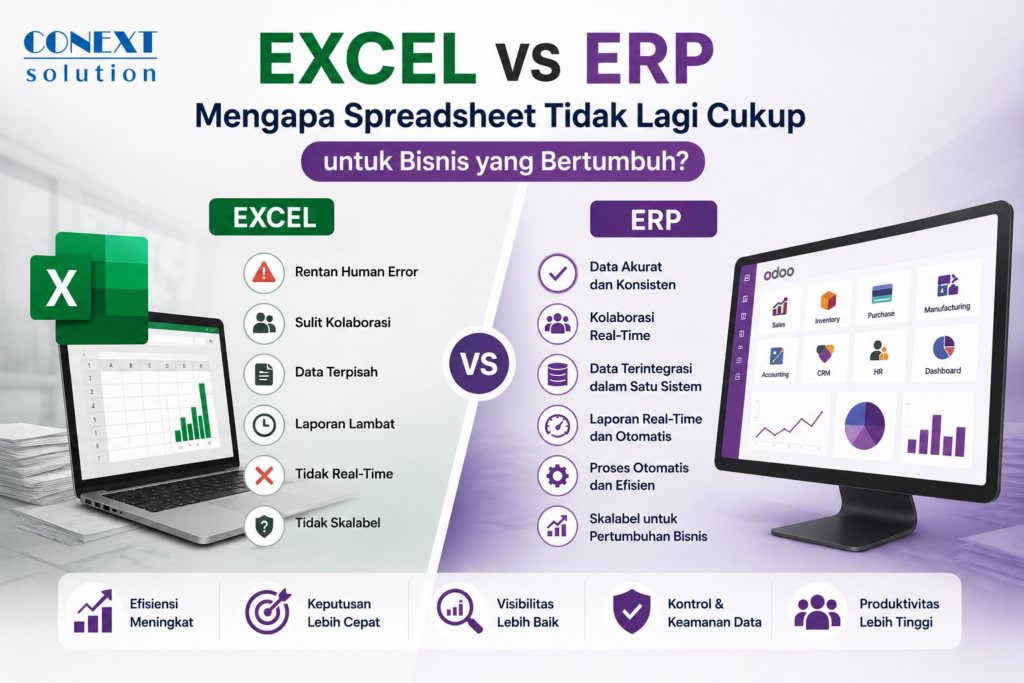
Comparison of Excel vs. ERP
| Aspect | Excel | ERP |
|---|---|---|
| Data Integration | Limited | Integrated |
| Multi-User | Limited | Very Good |
| Real-Time Data | Not Optimal | Yes |
| Automation | Low | High |
| Audit Trail | Limited | Complete |
| Scalability | Low | High |
| Dashboard | Manual | Automated |
| Approval Workflow | Manual | Automated |
When Should a Company Switch to Enterprise Resource Planning (ERP)?
Here are some signs that a company should consider implementing an ERP system:
- Data is scattered across many files
- Frequent inventory errors
- Reports are late
- Slow approval processes
- Increasing number of transactions
- Many branches or warehouses
- Difficulty monitoring business performance
If your company is experiencing some of the conditions listed above, then an ERP system could be the right investment.
Benefits of ERP Over Spreadsheets
With ERP, a company can achieve:
Operational Efficiency
Business processes become faster and more standardized.
More Accurate Data
All departments use the same data.
Faster Decision-Making
Real-time dashboards help management gain immediate business insights.
Scalability
The system can scale to keep pace with the company’s growth.
Higher Productivity
Employees can focus on high-value activities rather than repetitive administrative tasks.
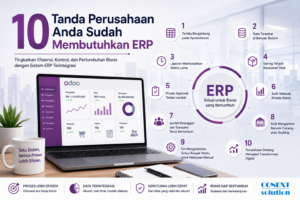
SEE ALSO: 10 Signs Your Company Needs an ERP System
Is Excel Still Useful?
Of course.
ERP is not a complete replacement for Excel.
Many companies still use Excel for:
- Specific data analysis
- Business simulations
- Custom reports
- Budget planning
The difference is that Excel is used as a supporting tool, not as the company’s primary operational system.
Excel is a very useful tool for businesses in their early stages.
However, as a company grows, the need for data integration, automation, and operational visibility becomes increasingly important.
If a business begins to experience issues such as out-of-sync data, slow reports, or recurring operational errors, it’s time to consider implementing an ERP system.
With an ERP system, a company can build a stronger foundation to support long-term growth and sustainable digital transformation.